
Data Centre Cabling Miniaturisation: Applying UK Standards to High-Density Home Network Closets
As a UK-certified installer with decades of experience in structured cabling systems, I’ve observed a fascinating evolution in network demands. What was once the exclusive domain of enterprise data centres – the meticulous planning, high-density component selection, and rigorous adherence to standards – is now increasingly relevant in sophisticated residential environments. The modern home is no longer a simple collection of Wi-Fi devices; it’s a dynamic ecosystem of streaming media, ubiquitous IoT, smart home automation, remote work infrastructure, and high-performance gaming. This paradigm shift necessitates a data centre-grade approach to home network cabling, particularly focusing on miniaturisation, efficiency, and unwavering reliability, all underpinned by relevant UK standards.
My name is Gary Pearce, and in this comprehensive guide, we will explore how the advanced techniques of data centre cabling miniaturisation can be practically and effectively applied to high-density home network closets, ensuring your residential infrastructure is robust, scalable, and future-proofed against the ever-increasing demands of digital life. We’ll delve into the specific technologies, design principles, and, crucially, the UK and European standards that govern these installations.
The Paradigm Shift: From Enterprise to Residential Demands
For decades, the standard home network comprised a single router connected to a few devices, with Wi-Fi serving the majority of connectivity needs. This model is, frankly, obsolete for anyone serious about performance, security, and stability. Today’s residential networks routinely handle:
- Multiple concurrent 4K/8K video streams.
- High-bandwidth Virtual Reality (VR) and Augmented Reality (AR) applications.
- Extensive Internet of Things (IoT) ecosystems, demanding pervasive and reliable connectivity.
- Enterprise-grade remote working setups, requiring uncompromising uptime and low latency.
- Advanced home automation systems, often integrating with dedicated control panels and PoE devices.
- Multi-gigabit connectivity to wired endpoints (e.g., Cat 6A for 10 Gigabit Ethernet).
These demands mirror, in miniature, the very challenges faced by data centre architects: optimising space, ensuring thermal management, delivering robust performance, facilitating future scalability, and simplifying maintenance. The confined spaces of a typical home network closet – often a wall-mounted enclosure or a repurposed cupboard – exacerbate these challenges. It is precisely within these constraints that data centre miniaturisation principles, coupled with stringent UK/European cabling standards (such as the BS EN 50173 and BS EN 50174 series), become invaluable.
Key Principles of Data Centre Cabling Miniaturisation for the Home
The essence of miniaturisation lies in achieving maximum connectivity and performance within minimum physical volume, without compromising on performance or reliability.
1. High-Density Connectivity Solutions
MPO/MTP for Fibre Optics: Multi-fibre Push-On (MPO) and its higher performance variant, MTP (a brand name for a superior MPO connector), are cornerstones of data centre fibre optic infrastructure. These connectors terminate up to 12, 24, or even 72 fibres in a single ferrule, offering unparalleled density compared to traditional duplex LC connections.
- Benefits for Home: Imagine a single MPO cable replacing twelve individual LC fibre cables running between a central communications cabinet and a remote media distribution point, perhaps across floors or to an outbuilding. This drastically reduces cable bulk in pathways and within the closet. Pre-terminated MPO cables simplify installation, reducing on-site termination time and the need for specialised fusion splicing equipment. They are ideal for backbone links requiring future upgrades to 40GbE, 100GbE, or beyond, using transceivers like QSFP+ or QSFP28, which often utilise MPO interfaces.
- UK Standard Context: While MPO isn’t specifically detailed for residential in BS EN 50173-6, its performance parameters align with the generic cabling requirements for backbone applications, particularly within the OM3/OM4 (multimode) or OS2 (singlemode) fibre categories.
Slim-line Copper Patch Cables: Standard Cat 6A patch cables can have an outer diameter (OD) of 7.2mm or more. In a densely packed 24 or 48-port patch panel, this creates significant bulk, restricts airflow, and makes cable management a nightmare. Slim-line patch cables, often with an OD of 4.0mm to 5.5mm, address this directly.
- Benefits for Home: By reducing the volume of each cable by up to 50%, slim-line cables free up valuable space in horizontal cable managers, improve airflow around active equipment (reducing heat buildup), and simplify routing. This results in a cleaner, more manageable installation.
- Considerations: It’s crucial to select slim-line cables that meet the specified performance category (e.g., Cat 6A) without compromise. Some designs achieve slimness by reducing insulation thickness, which can impact alien crosstalk performance, particularly in very dense bundles over longer patch cable runs. Always specify certified products from reputable manufacturers that guarantee compliance with ISO/IEC 11801 and TIA-568 standards for their respective categories. As per BS EN 50173-1, all components must meet channel performance requirements.
Angled Patch Panels: These panels are designed with ports angled either upwards or downwards, directing patch cords immediately into vertical cable management without needing a separate horizontal cable manager directly above or below. This frees up rack units (U) for active equipment or additional patching.
- Benefits for Home: In a 6U or 9U wall-mounted cabinet, every rack unit is precious. Angled patch panels can eliminate the need for a 1U or 2U horizontal cable manager, allowing for more switches, servers, or other devices.
2. Structured Cabling Standards (UK Context)
Adherence to standards is not merely bureaucratic; it is the bedrock of reliable, high-performance, and future-proof infrastructure. For installations in the UK, the primary references are:
- BS EN 50173 Series (Information Technology - Generic Cabling Systems): This multi-part standard defines the structure, performance requirements, and classifications for generic cabling systems.
- BS EN 50173-1 (General Requirements): Establishes the overall framework and specifies channel and permanent link performance for various categories (e.g., Class EA for Cat 6A, Class F for Cat 7, Class FA for Cat 7A, and Class I/II for Cat 8). It also covers optical fibre categories (OM3, OM4, OS2). Any cabling installed must meet the performance criteria defined here to be considered compliant.
- BS EN 50173-6 (Cabling for Home Electronic Systems): While offering a more residential-specific view, the principles of generic cabling for higher speeds often align with data centre practices for performance.
- BS EN 50174 Series (Information Technology - Cabling Installation): This is critical for specifying proper installation practices.
- BS EN 50174-1 (Installation Specification and Quality Assurance): Provides requirements for planning, installation, and operation of information technology cabling. It covers aspects like documentation, administration, and testing. It dictates the need for a documented design and testing regime.
- BS EN 50174-2 (Installation Planning and Practices Inside Buildings): Details the practical aspects of installation within buildings, including pathways, spaces, cable routing, bend radii, strain relief, and segregation from power cables – all vital for high-density, miniature installations.
- BS EN 50174-3 (Installation Planning and Practices Outside Buildings): Relevant for links to external structures or garden offices.
By specifying and installing components compliant with BS EN 50173 and implementing installation practices aligned with BS EN 50174, we ensure that the home network delivers guaranteed performance and forms a robust foundation. These European standards are largely harmonised with international ISO/IEC 11801.
3. Advanced Cable Management
In a miniaturised environment, exemplary cable management transitions from a desirable aesthetic to an absolute necessity for performance, maintenance, and thermal efficiency.
- Horizontal and Vertical Cable Management: Even in small cabinets, dedicated horizontal (e.g., brush panels for air flow, D-rings) and vertical cable management systems (e.g., integrated into the cabinet or external managers) are crucial. They maintain proper bend radii, provide strain relief, and keep cables organised for future moves, adds, or changes (MACs).
- Fibre Trays and Cassettes: For fibre optic cabling, particularly MPO systems, dedicated fibre optic cassettes and splice trays are essential. They provide a safe, organised environment for fibre termination (e.g., MPO-to-LC breakouts), protect delicate fibre strands from damage, and maintain proper bend radii.
- Cable Ties vs. Velcro: I cannot stress this enough: always use Velcro cable ties or hook-and-loop fasteners for data cabling. Plastic zip ties can be overtightened, causing micro-bends in fibre or distorting copper pairs, leading to performance degradation. Velcro allows for flexibility, easy adjustments, and prevents potential damage to cable sheathing. This is a fundamental principle in data centre best practice and should be applied rigorously in the home.
- Labelling and Documentation: BS EN 50174-1 places significant emphasis on administration. Every port, every cable, and every piece of equipment must be clearly and consistently labelled. Use a logical, traceable system (e.g., “Panel 1 Port 01” to “Outlet F1-01”). Detailed documentation, including floor plans, patch schedules, and test results, is paramount for troubleshooting and future expansion. This reduces downtime and simplifies maintenance activities exponentially.
4. Environmental Considerations
Even in a home network closet, environmental factors are critical.
- Thermal Management: Densely packed active equipment (switches, routers, NVRs, servers) generates heat. In a confined space, this heat can build up, leading to reduced equipment lifespan and potential performance issues. Ensure the selected cabinet has adequate passive ventilation (perforated doors, top/bottom vents) or consider active cooling (small rack-mount fans) if heat load is significant. Proper cable management also contributes by improving airflow.
- Rack/Enclosure Selection: Choose a cabinet appropriate for the space and equipment. Wall-mounted cabinets (e.g., 6U, 9U, 12U) are common in homes. Consider depth (standard 600mm vs. shallow 450mm) and ensure sufficient internal working space.
- Power Management: A high-density setup demands reliable power. Integrate a Rack-Mount Power Distribution Unit (PDU) to manage power to multiple devices. For critical services (e.g., network core, security systems), consider a compact Uninterruptible Power Supply (UPS) to provide battery backup during outages.
Technical Deep Dive and Practical Application
Let’s look at specific scenarios and calculations to illustrate these principles.
Fibre Optic Deployment: MPO/MTP in the Home Backbone
Consider a scenario where your main network closet is in the basement, but your primary media distribution panel (e.g., for TVs, gaming consoles, Wi-Fi access points) is on the first floor. Running multiple dedicated Cat 6A cables for future 10GbE or higher-speed Wi-Fi 7 backhauls can become bulky. This is where MPO shines.
- Scenario: Basement Comms Cabinet (Switch) to First Floor Media Panel (Fibre-to-Ethernet converters, Wi-Fi AP backhaul).
- Solution: A single MPO-12 (12-fibre) OS2 (singlemode) or OM4 (multimode) backbone cable.
- Utilisation: An MPO-12 cable, combined with MPO-to-LC breakout cassettes or fan-out cables at each end, can support:
- 3 x 40GbE links (using 8 fibres each for transmit/receive) if directly connected to QSFP+ transceivers. This is more common in commercial settings but illustrates fibre capacity.
- 6 x 10GbE duplex LC links (2 fibres per link). This means one MPO-12 cable can provide six independent 10GbE connections using OM4 or OS2 fibre, which is ample for most residential backbones.
- Example Calculation: If you need three 10GbE connections to your first-floor media panel, you’d conventionally run three separate duplex LC fibre cables (6 individual fibres). With an MPO-12 cable, you use only six of its twelve fibres, leaving six spare for future expansion (e.g., adding another three 10GbE links). The physical footprint is drastically reduced.
- Benefits: Minimal conduit fill, easier and cleaner installation, and a direct upgrade path to higher speeds without running new cables.
- Considerations: MPO components, while simplifying bulk, do require careful handling and cleaning. Specialist cleaning tools for MPO connectors are essential. The cost can be higher than traditional copper for initial deployment, but the long-term flexibility and reduced labour for upgrades often justify it.
High-Density Copper Patching: Cat 6A/7/8
For connections to end-user devices, copper remains the dominant medium. Achieving high density with Cat 6A, Cat 7, or Cat 8 cables requires careful planning.
- Scenario: A 24-port or 48-port patch panel in a 6U wall-mount cabinet.
- Solution: Utilise slim-line Cat 6A or Cat 7 patch cables.
- Diameter Comparison:
- Standard Cat 6A UTP: ~7.2mm OD
- Slim-line Cat 6A UTP: ~4.0mm - 5.5mm OD
- Impact: A bundle of 24 standard Cat 6A cables occupies significantly more volume than 24 slim-line cables. This affects not just physical space but also airflow. Reduced volume translates to better thermal dissipation from active equipment.
- Performance Caveats: When considering slim-line copper cables, it is paramount to ensure they meet the full performance specifications of their category. BS EN 50173-1 details the performance criteria for insertion loss, return loss, NEXT, FEXT, and Alien Crosstalk for all cabling components and channels. Slim-line cables can sometimes be more susceptible to alien crosstalk due to their reduced conductor spacing and insulation. Therefore, only choose slim-line cables from manufacturers who provide independent verification of compliance with the relevant standards (e.g., GHMT, ETL certification). For critical links or very long patch cable runs, evaluate if the potential benefits outweigh any marginal performance risks, or consider fully shielded (F/UTP, S/FTP) slim-line options which offer superior alien crosstalk performance.
- Best Practices:
- Use patch cables of the shortest necessary length.
- Utilise colour-coding for different services (e.g., red for critical devices, blue for general LAN, yellow for PoE).
- Maintain generous bend radii as specified by BS EN 50174-2, even with slim cables.
Component Selection Checklist for a High-Density Home Network Closet
To ensure a robust and miniaturised installation, consider the following components:
- Enclosure (Rack/Cabinet):
- Wall-mount or floor-standing (e.g., 6U, 9U, 12U).
- Depth: 450mm for shallow spaces, 600mm for deeper equipment.
- Ventilation: Perforated front/rear doors, optional fan units.
- Security: Lockable front door.
- Patch Panels:
- High-density Cat 6A/7/8 modules.
- Angled patch panels for space-saving.
- Toolless keystone jacks for ease of termination.
- Cabling (Permanent Link):
- In-wall/In-ceiling: Cat 6A (minimum for future proofing), Cat 7, or Cat 8 for copper.
- Backbone: OS2 (singlemode) or OM4 (multimode) fibre.
- Patch Cords:
- Slim-line Cat 6A/7/8, varied lengths.
- Fibre patch cords: MPO breakout cables, LC-LC duplex.
- Fibre Optic Management:
- MPO-to-LC fibre cassettes or modular panels.
- Fibre splice trays (if fusion splicing is required).
- Cable Management:
- Horizontal cable managers (1U or 2U with D-rings/brush strips).
- Vertical cable managers (for larger cabinets).
- Hook-and-loop (Velcro) cable ties.
- Power Management:
- Rack-mount PDU (e.g., 6-way, 8-way).
- Compact Rack-mount UPS.
- Labelling System:
- Professional label printer (e.g., Brother, Dymo).
- Colour-coded labels.
Installation Guide and Best Practices (Gary Pearce’s Recommendations)
Executing the installation properly is as important as the design. Drawing on my experience, here are critical best practices aligned with BS EN 50174:
1. Planning & Design (Adhering to BS EN 50174-1)
- Comprehensive Site Survey: Understand the existing structure, power availability, thermal considerations, and potential interference sources.
- Heat Load Analysis: Calculate the total heat generated by active equipment to determine ventilation/cooling needs.
- Power Requirements: Map out all power needs, including PoE budgets for switches.
- Topology Mapping: Design a logical star topology, typical for structured cabling, with the network closet as the central point.
- Pathway Planning: Carefully plan all cable routes, utilising conduit or trunking to protect cables and facilitate future upgrades, as recommended by BS EN 50174-2. Ensure sufficient pathway capacity for growth.
- Documentation Strategy: Begin documentation from the design phase. A well-documented network is easily managed and troubleshot.
2. Physical Installation (Aligned with BS EN 50174-2)
- Maintain Bend Radii: Never exceed the minimum bend radii specified for copper and fibre optic cables. For Cat 6A UTP, this is typically 4 times the cable diameter; for fibre, it can be 10-20 times the cable diameter, or even more for certain indoor/outdoor cables. Tight bends significantly degrade performance.
- Avoid Over-tightening: As mentioned, use Velcro! If plastic ties are absolutely necessary (e.g., for securing large cable bundles in pathways), use a tension-controlled tool or ensure they are hand-tightened gently.
- Proper Termination Techniques: All copper and fibre terminations must be performed according to manufacturer specifications and industry best practices. Incorrect termination is a leading cause of performance issues.
- Segregate Power and Data: Maintain proper separation between power cables (AC mains) and data cables to prevent electromagnetic interference (EMI). BS EN 50174-2 specifies minimum separation distances or the use of shielded cables/pathways.
- Label Everything: Apply consistent and clear labels to both ends of every permanent link, every patch panel port, and every active equipment port.
3. Testing and Validation (BS EN 50174-1 & BS EN 50173-1)
- Copper Certification: Every permanent copper link (e.g., from patch panel to wall outlet) must be tested and certified using a recognised cable certifier (e.g., Fluke Networks Versiv series, IDEAL Networks LanTEK III/IV). This validates that the installed cable meets the performance requirements (e.g., Class EA for Cat 6A) as defined in BS EN 50173-1.
- Fibre Optic Testing:
- Tier 1 (Basic) Testing: Light Source and Power Meter (LSPM) testing to measure end-to-end insertion loss. Essential for all fibre links.
- Tier 2 (Advanced) Testing: Optical Time Domain Reflectometer (OTDR) testing provides a graphical trace of the fibre link, identifying splices, connectors, and potential faults, and measuring loss at each event. Recommended for backbone links.
- Document Test Results: All test results, along with the as-built documentation, must be compiled and provided to the client. This forms a critical part of the installation’s quality assurance and is required by BS EN 50174-1.
Future-Proofing Your Home Network Closet
Miniaturisation isn’t just about current needs; it’s about building a foundation for tomorrow.
- Scalability for New Technologies: The demand for bandwidth is insatiable. Ensure your chosen cabling (Cat 6A/7/8, OM4/OS2 fibre) can support multi-gigabit (2.5G/5G/10G) and higher speeds to endpoints and Wi-Fi access point backhauls (e.g., for Wi-Fi 7).
- Modular Design: Opt for modular patch panels and fibre cassettes that allow for easy addition or changes of individual ports or fibre types without disrupting the entire system.
- Spare Capacity: Install higher fibre counts than immediately necessary (e.g., a 12-fibre MPO for initial needs of 2-4 fibres). Run empty conduits or larger diameter conduits for future pulls.
- Power Redundancy: For truly critical components, consider a second PDU connected to a separate circuit or UPS.
Conclusion
The principles of data centre cabling miniaturisation, meticulously applied and rigorously guided by UK and European standards such as BS EN 50173 and BS EN 50174, offer a compelling solution for the burgeoning demands of the modern home network. From optimising every cubic centimetre of rack space with slim-line cables and MPO fibre, to ensuring reliable thermal performance and simplified maintenance, this approach transcends mere aesthetics. It delivers a robust, high-performance, and scalable network infrastructure that provides unparalleled reliability and future-proofing, protecting your investment for years to come. As a UK-certified installer, I advocate for this professional-grade approach in every high-density residential environment. For further consultation or to discuss your specific project needs, please use the online contact page.
Frequently Asked Questions (FAQ)
Q1: Is this data centre cabling approach overkill for a typical home network? A1: While it might seem advanced for a basic home setup, it is increasingly becoming the appropriate standard for “high-density” home networks. If your household relies heavily on 4K/8K streaming, uses numerous smart home devices, has multiple remote workers, or engages in serious online gaming, a typical consumer-grade network will struggle. Applying data centre miniaturisation principles ensures your network remains stable, fast, and scalable, preventing frustrating bottlenecks and future-proofing your home against ever-increasing bandwidth demands. It’s an investment in reliability and performance.
Q2: What is the biggest challenge in implementing data centre miniaturisation in a home environment? A2: The primary challenge is typically space constraints. Data centres are purpose-built with ample room for infrastructure, whereas home network closets are often repurposed, smaller spaces. This makes meticulous planning, judicious component selection (like slim-line cables and angled patch panels), and exceptional cable management absolutely critical. Thermal management also becomes more challenging due to the confined nature, requiring careful consideration of airflow and potential active cooling solutions. Adherence to strict bend radius requirements in tight spaces also demands precision.
Q3: What are the key UK standards I should be aware of when designing or installing a high-density home network? A3: For UK installations, the most relevant standards are the BS EN 50173 series (specifically BS EN 50173-1 for generic cabling performance and BS EN 50173-6 for home electronic systems) and the BS EN 50174 series (covering installation planning, practices, and quality assurance). These standards dictate component performance, proper installation techniques, and documentation requirements, ensuring your network meets recognised European benchmarks for quality and reliability. Consulting a UK-certified installer ensures compliance with these critical guidelines.
Q4: Can I use slim patch cables everywhere without any potential issues? A4: Slim-line patch cables are an excellent solution for high-density environments, significantly improving airflow and reducing cable bulk. However, it’s crucial to select high-quality, certified slim cables that meet the full performance specifications of their category (e.g., Cat 6A). Some less reputable slim cables may achieve their reduced diameter by compromising on insulation, which can potentially increase alien crosstalk or insertion loss, especially in very dense bundles or over longer patch cable runs. Always verify that the manufacturer provides independent certification (e.g., from GHMT or ETL) confirming compliance with ISO/IEC 11801 and TIA-568 standards for the specified category. For critical links, consider fully shielded (S/FTP) slim-line options for superior noise immunity.
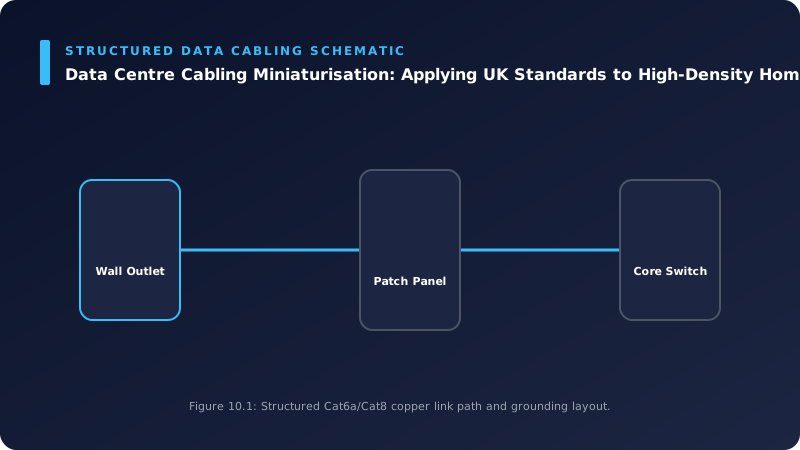
📊 Technical System Design Reference Infographic
Related Technical Resource: Digital Terrestrial Television (DTT) Reception: Advanced Signal Amplification and Distribution for UK Multi-Dwelling Units
Technical Standards and Industry Resources
- External Compliance Guidance: Industry Standards & Compliance Resources
- Partner Site Feed: Gary Pearce Portfolio Services - Blogspot Hub