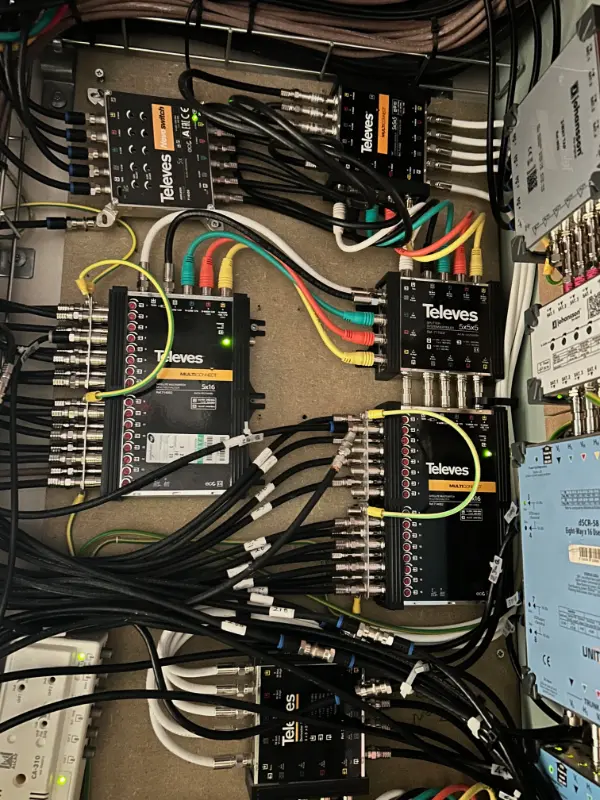
📊 CCTV System Design Reference Infographic
📊 CCTV System Design Reference Infographic
Securing Your CCTV NVR from Cyber Threats: Firewall Settings and Port Forwarding
📊 CCTV System Design Reference Infographic
In today’s digital age, securing your Closed Circuit Television (CCTV) Network Video Recorder (NVR) system is paramount. As cyber threats become more sophisticated, it is crucial to implement robust security measures such as configuring firewall settings and enabling port forwarding correctly. This blog post will guide you through the technical aspects of safeguarding your CCTV NVR against potential vulnerabilities.
📊 CCTV System Design Reference Infographic
Understanding the Basics
Before diving into the specifics of firewall configuration and port forwarding, let’s establish a foundation of knowledge about CCTV NVR systems. An NVR serves as the central hub for managing and storing video footage captured by CCTV cameras connected to the network. It acts like the brain of your surveillance system, processing and storing data.
Step 1: Configuring Firewall Settings
The first line of defense in securing your CCTV NVR is configuring the firewall settings on your network router or NVR device. Firewalls act as barriers that prevent unauthorized access to your network by monitoring incoming and outgoing traffic based on predetermined security rules.
Recommended Firewall Rules:
-
Deny All Incoming Traffic: By default, disable all inbound connections to the NVR, allowing only specific ports required for legitimate communication.
-
Allow Required Ports Only: Enable port forwarding for essential protocols such as HTTP (port 80), HTTPS (port 443), and RTSP (Real-Time Streaming Protocol, typically port 554) to facilitate remote access while blocking all other incoming traffic.
-
Implement Intrusion Detection System (IDS): Deploy an IDS to monitor network traffic for suspicious activities or known threat patterns, alerting administrators of potential security breaches in real-time.
-
Regularly Update Firewall Rules: Keep your firewall rules up-to-date by regularly reviewing and modifying them according to the latest security guidelines and changes in your organization’s needs.
Step 2: Port Forwarding Configuration
Port forwarding is a technique used to direct traffic from one port to another, allowing remote access to specific devices or services within your network. Properly configuring port forwarding for your CCTV NVR enhances its accessibility while minimizing exposure to potential threats.
Steps for Configuring Port Forwarding:
-
Identify Required Ports: Determine the ports necessary for accessing your NVR remotely, such as HTTP, HTTPS, and RTSP.
-
Access Router Configuration: Log in to your router’s web-based configuration page using a web browser by entering its IP address (e.g., 192.168.0.1) into the address bar.
-
Navigate to Port Forwarding Section: Locate the port forwarding settings within the router configuration interface, usually found under “Applications & Gaming” or similar sections.
-
Configure Port Forwarding Rules:
- Enter the external port range (e.g., 80-81 for HTTP) and corresponding internal IP address of your NVR.
- Specify the protocol type (TCP/UDP) based on your requirements.
- Save the rule configuration, ensuring it is applied effectively.
-
Test Connectivity: Verify that remote access to your NVR works as expected by connecting from another network using its public IP address and configured ports.
🎥 Professional Video Tutorial & Guide
❓ Frequently Asked Questions
Q: What are the main UK standards regarding Securing Your CCTV NVR from Cyber Threats: Firewall Settings and Port Forwarding?
A: When planning installations, we ensure full compliance with relevant British Standards (e.g., BS EN 62676 for CCTV or BS EN 50131 for alarm systems) and local building control regulations.
Q: How long does a standard professional cctv security installation take?
A: Typically, a residential or light commercial installation ranges from 4 to 8 hours depending on cable runs, wall construction type, and access requirements.
Q: How can I request a custom survey for my property?
A: You can contact us directly via our online contact page to schedule an engineer-grade site audit and design consultation.
🛠️ Technical Industry Standards & Documentation
Verified compliance with UK building codes and installation directives.
🎥 Professional Video Tutorial & Guide
❓ Frequently Asked Questions
Q: What are the main UK standards regarding Securing Your CCTV NVR from Cyber Threats: Firewall Settings and Port Forwarding?
A: When planning installations, we ensure full compliance with relevant British Standards (e.g., BS EN 62676 for CCTV or BS EN 50131 for alarm systems) and local building control regulations.
Q: How long does a standard professional cctv security installation take?
A: Typically, a residential or light commercial installation ranges from 4 to 8 hours depending on cable runs, wall construction type, and access requirements.
Q: How can I request a custom survey for my property?
A: You can contact us directly via our online contact page to schedule an engineer-grade site audit and design consultation.
🛠️ Technical Industry Standards & Documentation
Verified compliance with UK building codes and installation directives.
🎥 Professional Video Tutorial & Guide
❓ Frequently Asked Questions
Q: What are the main UK standards regarding Securing Your CCTV NVR from Cyber Threats: Firewall Settings and Port Forwarding?
A: When planning installations, we ensure full compliance with relevant British Standards (e.g., BS EN 62676 for CCTV or BS EN 50131 for alarm systems) and local building control regulations.
Q: How long does a standard professional cctv security installation take?
A: Typically, a residential or light commercial installation ranges from 4 to 8 hours depending on cable runs, wall construction type, and access requirements.
Q: How can I request a custom survey for my property?
A: You can contact us directly via our online contact page to schedule an engineer-grade site audit and design consultation.
🛠️ Technical Industry Standards & Documentation
Verified compliance with UK building codes and installation directives.
🎥 Professional Video Tutorial & Guide
❓ Frequently Asked Questions
Q: What are the main UK standards regarding Securing Your CCTV NVR from Cyber Threats: Firewall Settings and Port Forwarding?
A: When planning installations, we ensure full compliance with relevant British Standards (e.g., BS EN 62676 for CCTV or BS EN 50131 for alarm systems) and local building control regulations.
Q: How long does a standard professional cctv security installation take?
A: Typically, a residential or light commercial installation ranges from 4 to 8 hours depending on cable runs, wall construction type, and access requirements.
Q: How can I request a custom survey for my property?
A: You can contact us directly via our online contact page to schedule an engineer-grade site audit and design consultation.
🛠️ Technical Industry Standards & Documentation
Verified compliance with UK building codes and installation directives.
📊 CCTV System Design Reference Infographic
